
Type Less. Do More.
The clean, offline text automation tool for Windows.
Create custom hotkeys for
your most used emails, code, and messages.
Works on Windows 10 & 11 • Open Source
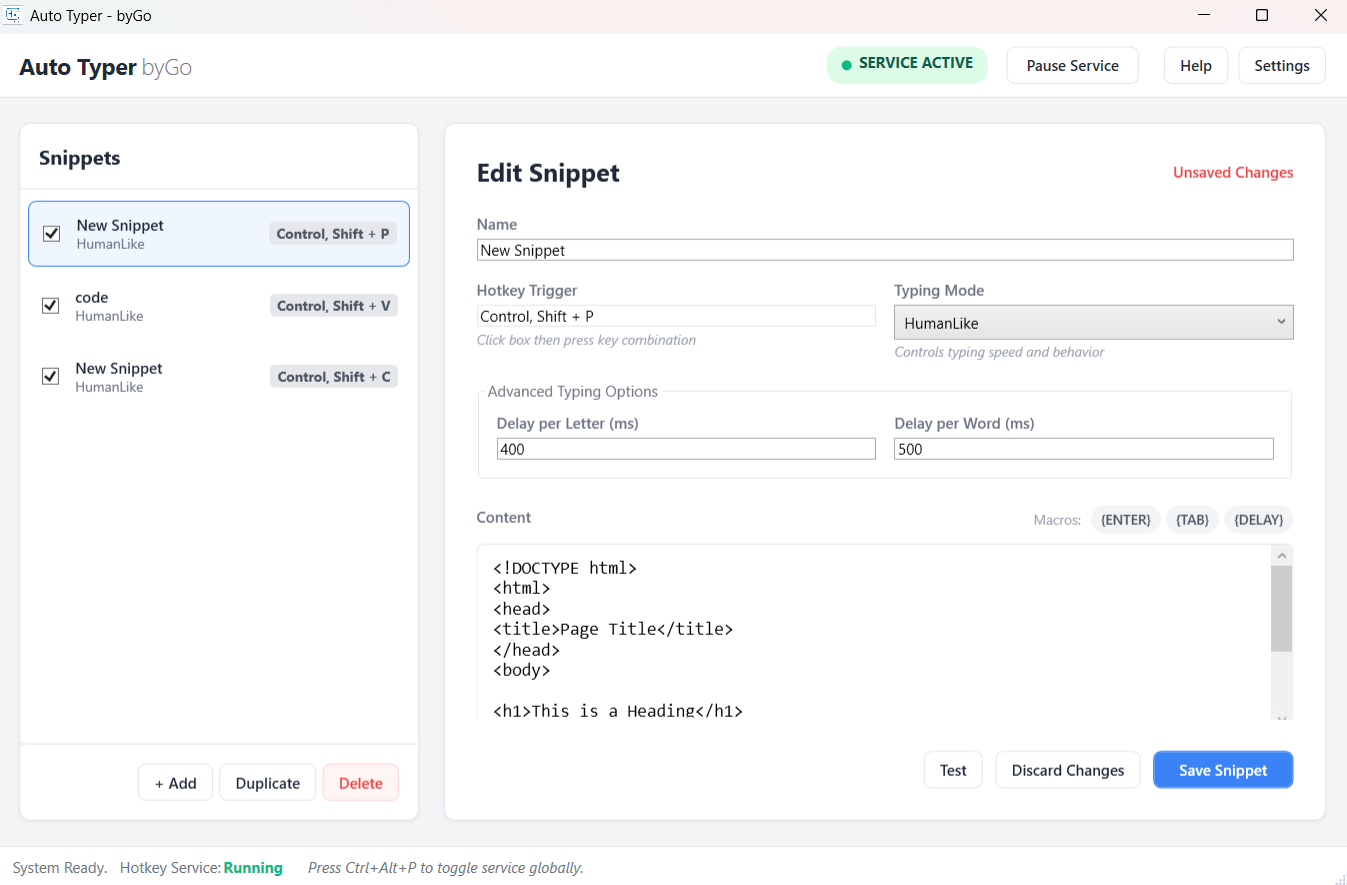
*Simple, Card-Based Interface*
Why Choose Auto Typer?
⚡ Instant Expansion
Turn short abbreviations (e.g., F8) into full paragraphs instantly. Save hours
of repetitive typing every week.
🔒 100% Offline
Your data stays on your machine. No cloud sync, no tracking, and no internet connection required. Complete privacy.
🎮 Total Control
Toggle the service On/Off with a single click. Panic button included: Press ESC
to stop typing immediately.
🤖 Smart Macros
Automate forms with tokens like {TAB}, {ENTER}, and
{DELAY} to navigate inputs precisely.
How It Works
1. Create
Click + Add and type your reusable text snippet in the editor.
2. Assign
Set a custom hotkey trigger. We support standard keys (F1-F12) and combos
(Ctrl+Alt+T).
3. Type
Open any application—Notepad, Chrome, Slack—and press your hotkey. Watch the magic happen!